




The NEON™ 2.5 software update is now available for Simrad® and B&G® displays. It’s one of the biggest updates so far. Along with fixes, it brings a new user interface, lots of new features and wider compatibility with accessories. After the update, your display works like a brand new unit.
The update is available for these displays:
- Simrad®: NSX®, NSX® ULTRAWIDE, NSS® 4 and NSO® 4
- B&G®: Zeus® S, Zeus® S Ultrawide, Zeus® SR and Zeus® SRX
What’s new on all NEON™ displays
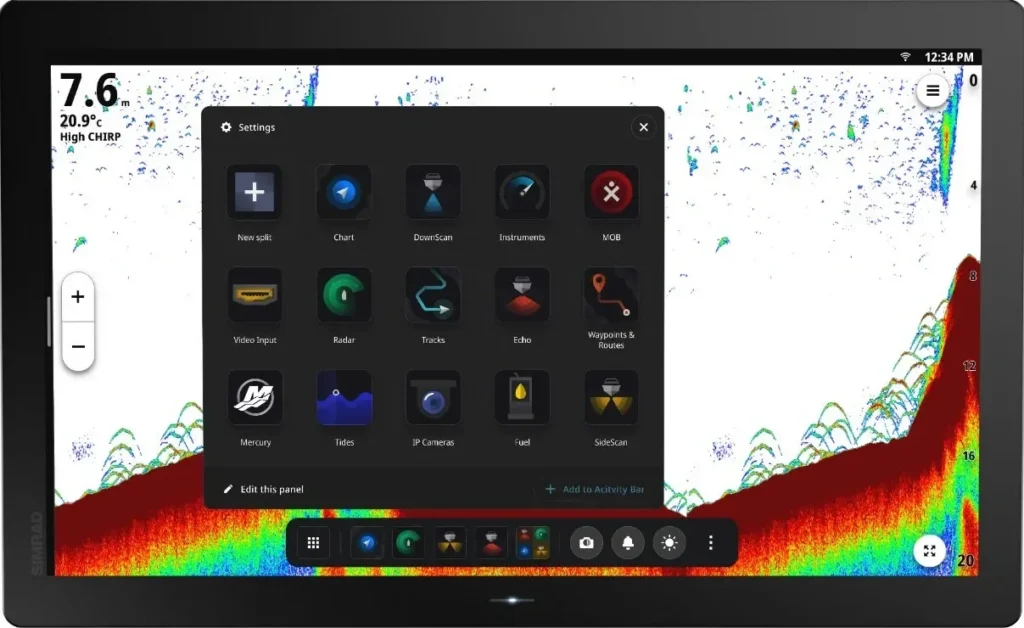
New Activities Bar and App Drawer
The Activities Bar and App Drawer replace the old home page. Frequently used apps, controls and split-screen views are always at hand, and there’s less menu navigation. You can place the Activities Bar at the top, right or bottom of the screen and hide it when you don’t need it.
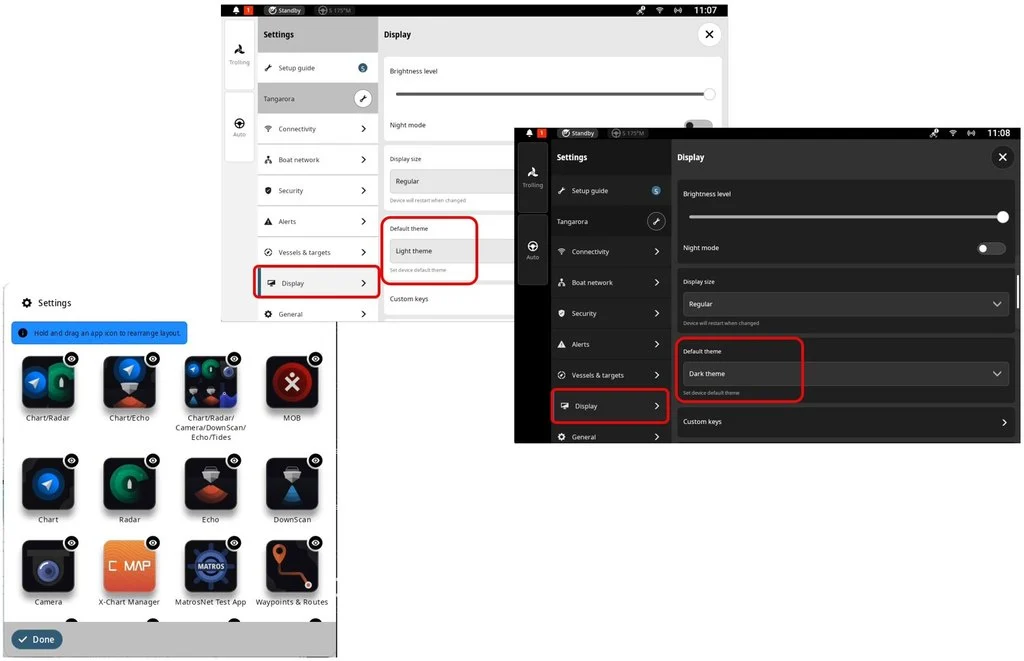
Quick Access Menu, themes and Status Bar
A redesigned Quick Access Menu, new light and dark themes and customisable shortcuts let you set up the interface your way. The new Status Bar always shows the status of radar, autopilot, GPS and connections. Alerts are clearer and tell you what to do next.
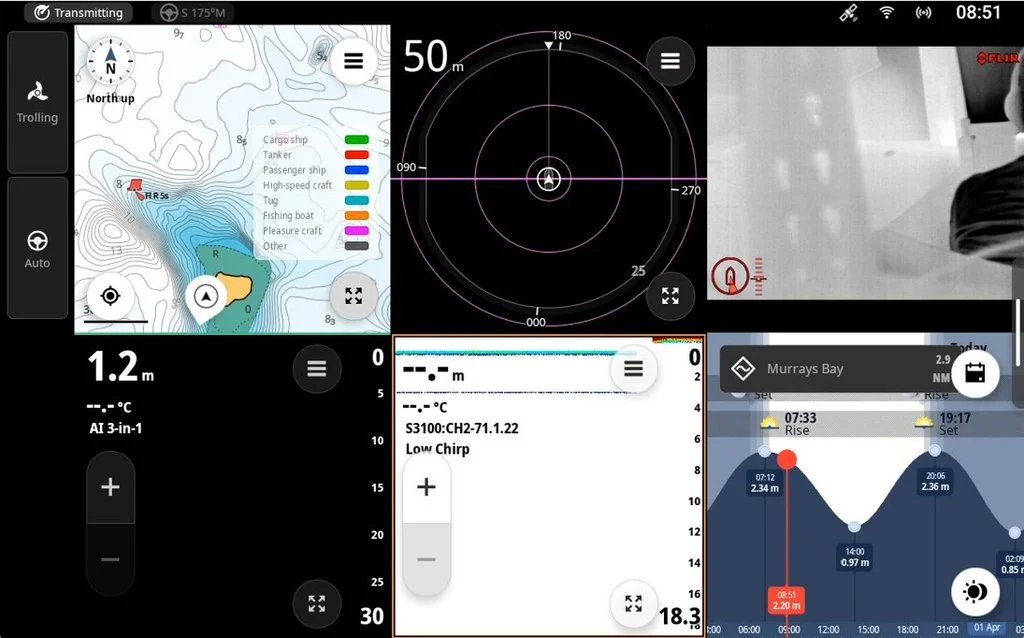
Six-way split screen
NSS® 4, NSO® 4, Zeus® SR and Zeus® SRX displays can now show six views at once. Chart, sonar, radar, engine data and camera feed are all in view at the same time.
Simrad®: fishing and vessel systems
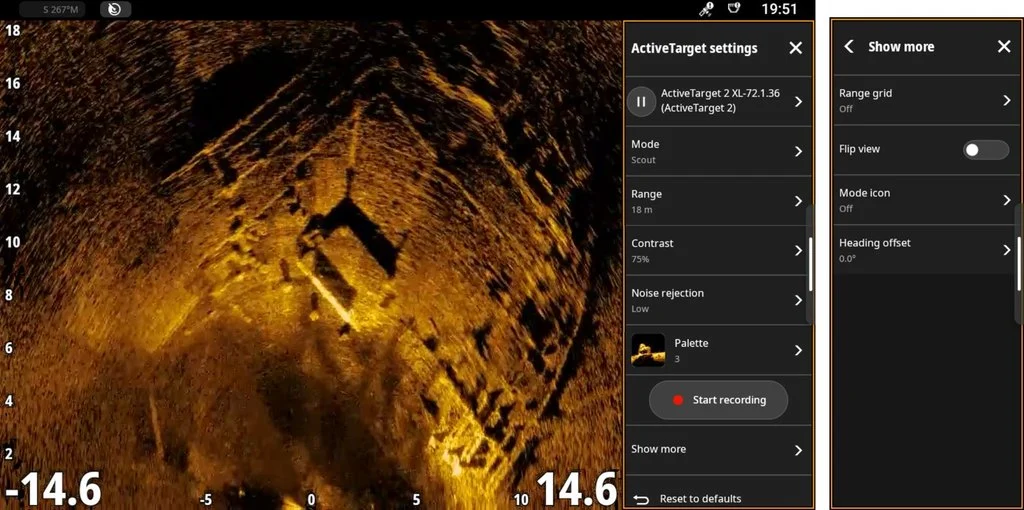
ActiveTarget® and ActiveTarget® 2 support
NEON™ 2.5 supports Lowrance® ActiveTarget® and ActiveTarget® 2 live sonar, including the new ActiveTarget® 2 XL transducer. You can see fish movement and bottom structure in real time.
Better CHIRP, SideScan® and DownScan®
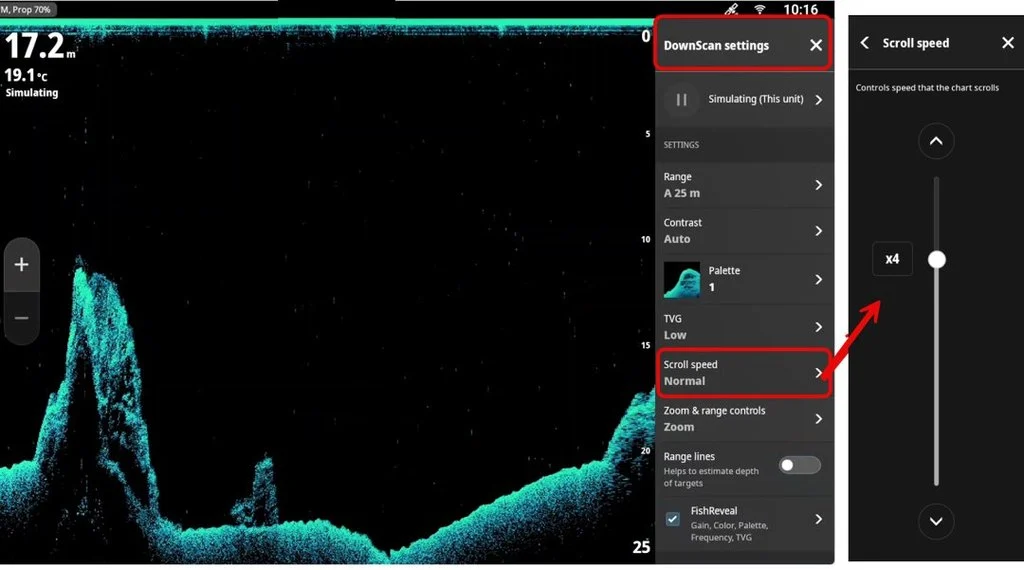
Clearer images and better target separation. You can now adjust the scroll speed yourself.
Forward-looking sonar
Forward-looking sonar is now supported, including EchoPilot. You get a better view of what’s ahead of the boat, especially in shallow or unfamiliar waters.
Mercury®, Yamaha®, Power-Pole® and CZone®
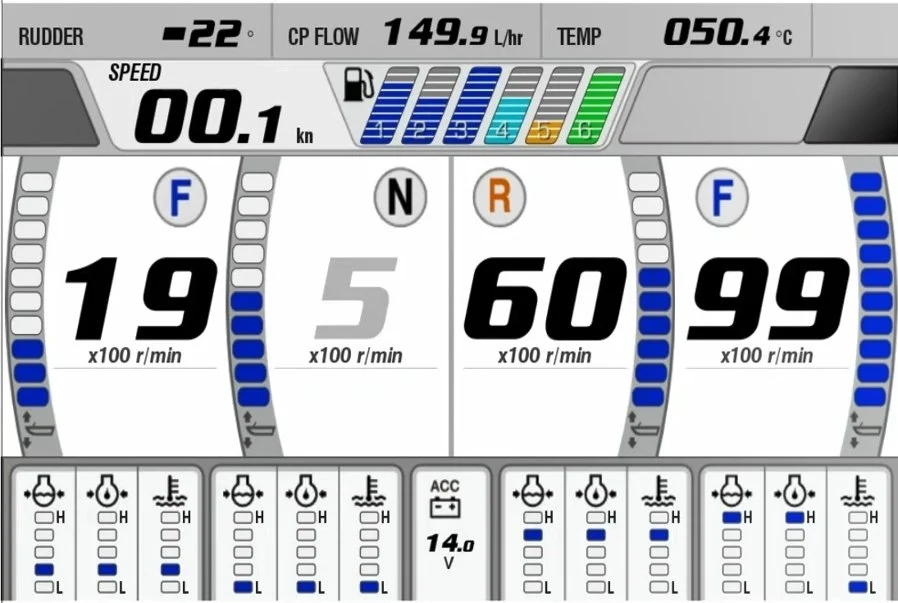
- Wider Mercury® and Yamaha® support, incl. Mercury Smart Tow
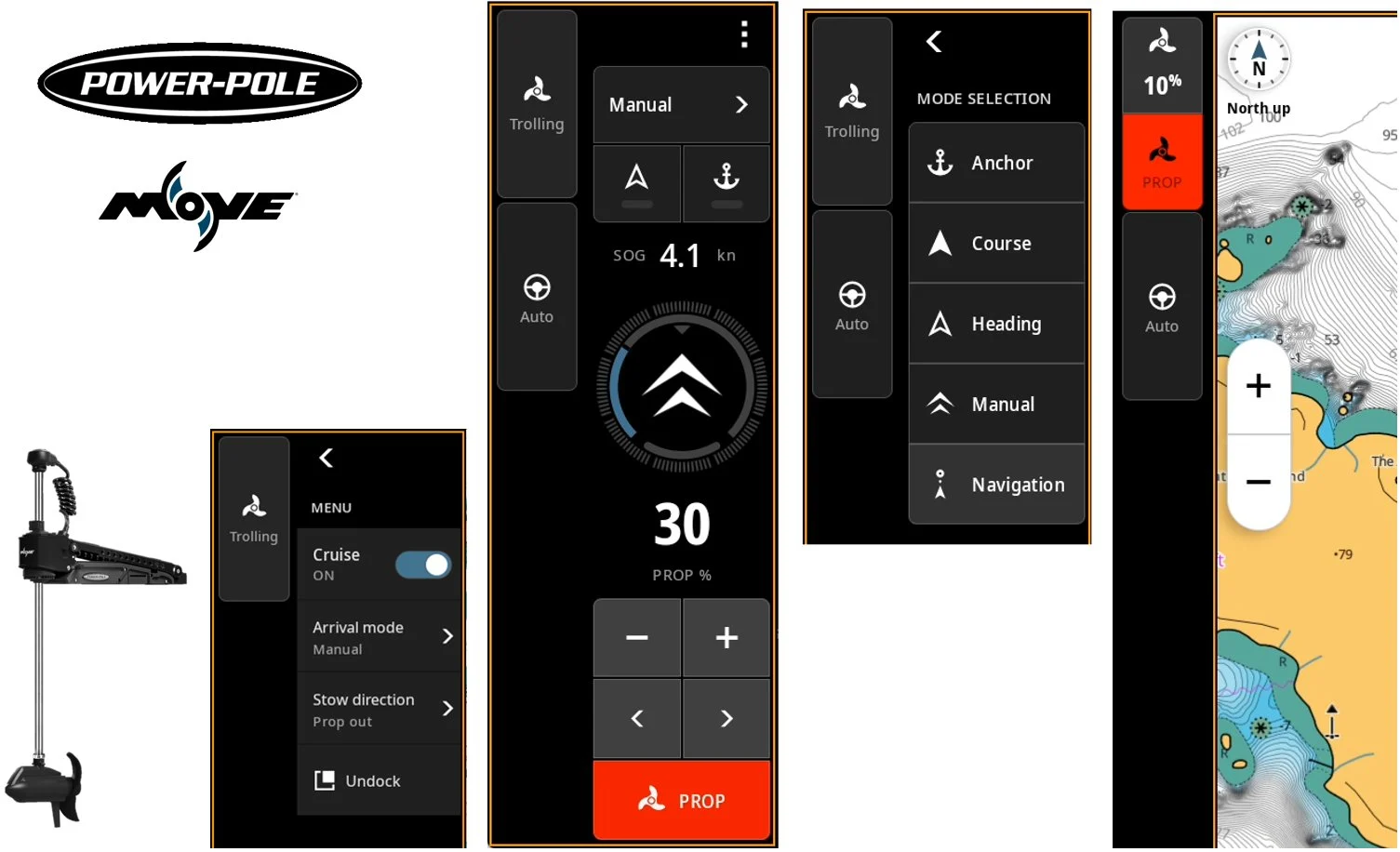
- Control Power-Pole® shallow water anchors and trolling motors directly from the chartplotter
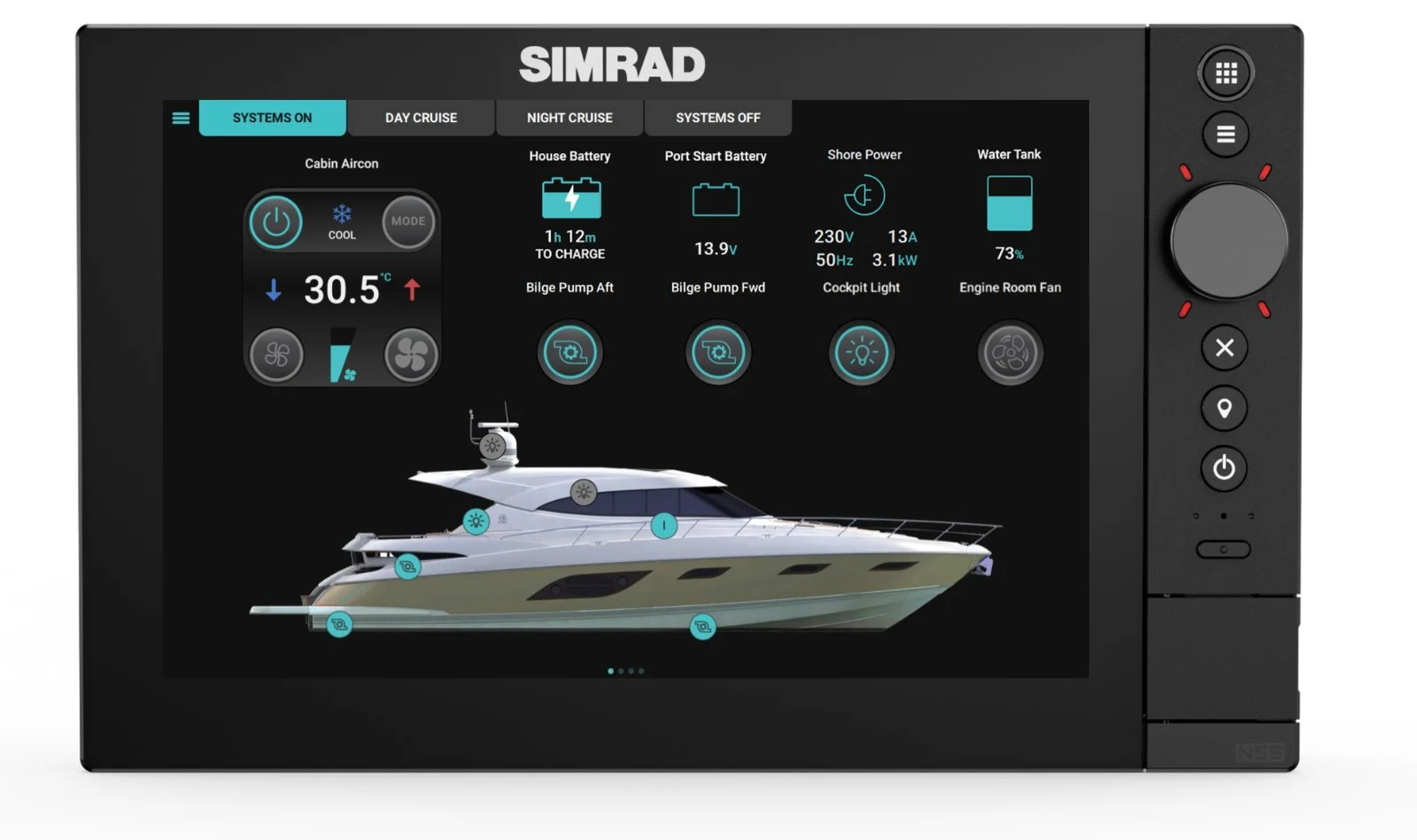
- New CZone® app controls lighting, power, tank levels, climate and more with no extra hardware
Smarter route planning
Auto Routing now follows channels and fairways better and takes bridge clearance into account. Routes and waypoints are easier to create and edit, even out on the water.
And much more
- better chart management tools
- colour-coded AIS targets
- seabed area overlays
- marine protected area support
- OP55 remote control support
- improved chart object queries
B&G®: sailing and racing
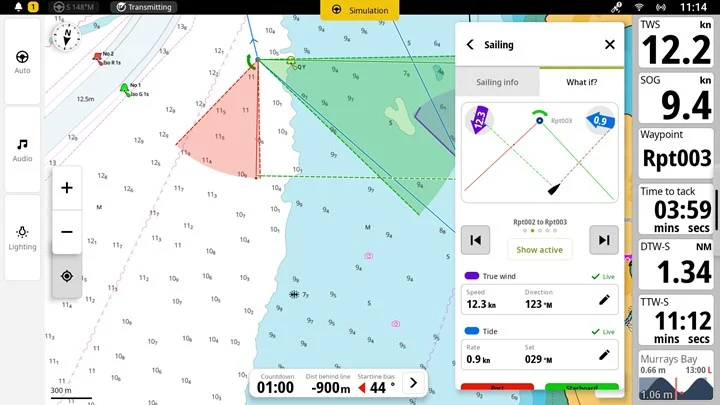
“What if?”
Look ahead to the next leg and see how current conditions affect your sail choice or approach to the mark. Adjust wind and tide manually and see right away what it means for your decision.
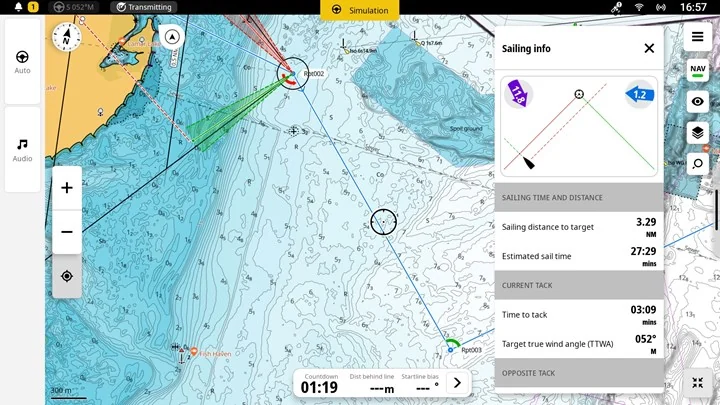
Sailing panel on the chart
Sailing data plus time and distance to waypoint stay visible on the chart while you navigate.
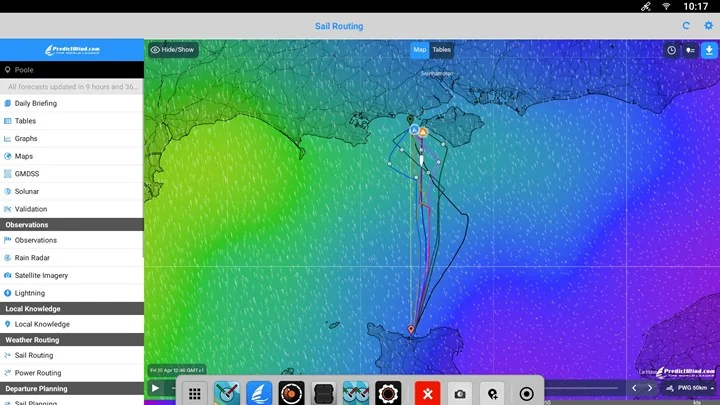
PredictWind now on Zeus® SR and SRX
The PredictWind & Offshore app gives accurate marine forecasts for both offshore and coastal sailing. You can view weather layers as a table, map or graph. Weather routing* finds the best route in seconds.
* Requires a PredictWind subscription and an internet connection.
Start line and measure tool
You can now set the start line and waypoints by range and bearing. This helps when the race committee gives the first mark position as range and bearing.
How to update
- Download the update for your display: Simrad® – simrad-yachting.com/downloads, B&G® – bandg.com/downloads.
- Copy the file to a memory card or USB stick and insert it into the display.
- Start the update from the pop-up or from Settings → General → Software updates.
You can also connect the display to Wi-Fi and update over the air (OTA) from the Settings app. Note! OTA updates for Zeus® S displays are temporarily suspended, so use a memory card.
After the update: let the system run for 10 minutes, then switch off the boat’s power and wait at least 1 minute before switching it back on.
Some features depend on the display model, size and connected devices.
More info: Simrad® NEON™ 2.5 and B&G® NEON™ 2.5
Questions? Email marine@marine.ee or call +372 651 9666.